Description
As my wordpress network grew I found it challenging to track which plugins were used on which sites as the only way to check was to visit each dashboard one at a time. What a hassle!
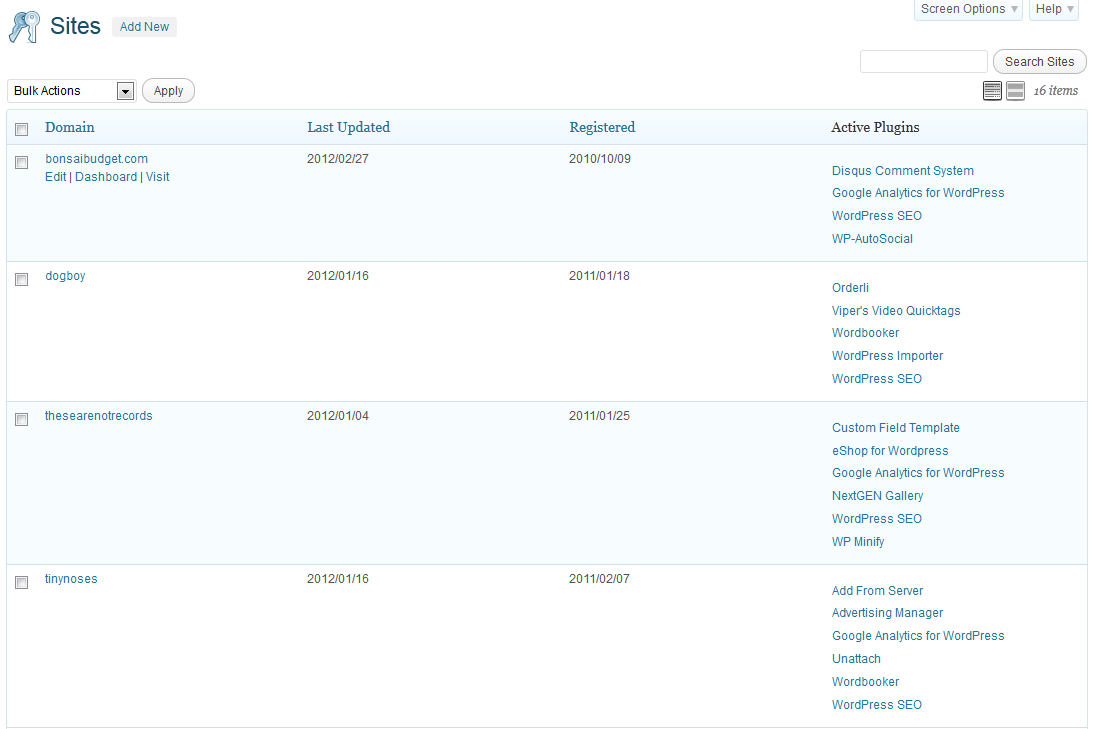
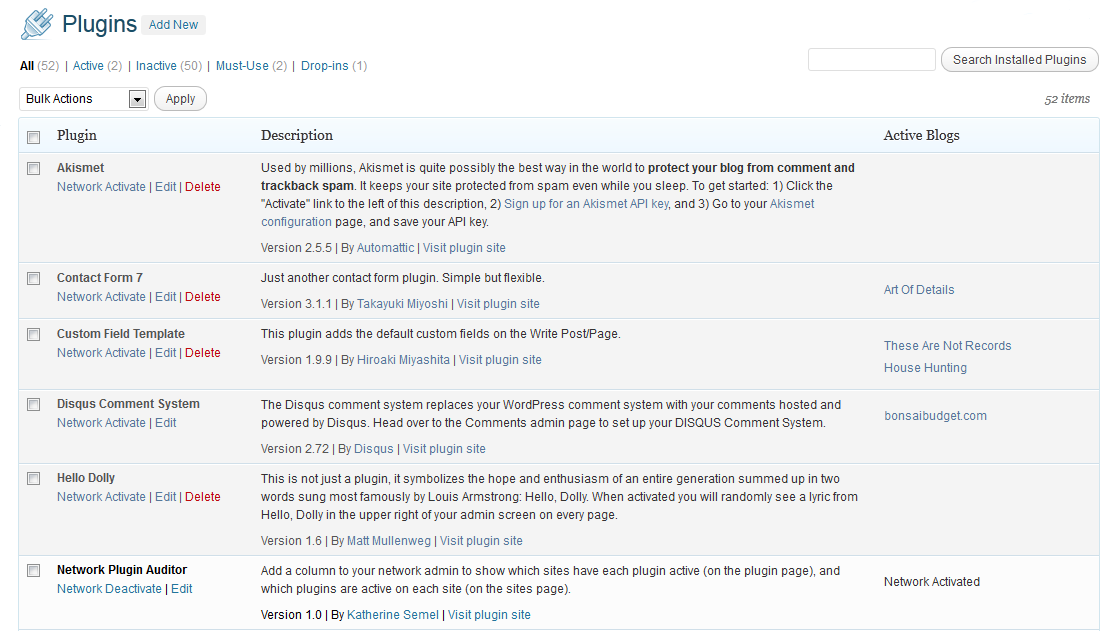
This plugin adds a column to your network admin to show which sites have each plugin active (on the plugin page), and which plugins are active on each site (on the sites page). Now you can easily determine which plugins are used on your network sites and which can be safely removed.
Multisite only.
Now available in Spanish! (Many thanks to Maria Ramos of WebHostingHub for the translation)
También en Español! (Muchas gracias a Maria Ramos de WebHostingHub para la traducción)
Frequently Asked Questions
- Will this plugin work with my single-site wordpress installation?
- No, the columns are only added in the network admin dashboard. There is no change on the normal site dashboards so there is nothing to see on a single-site installation.
- Can I use this plugin as an Must-Use plugin?
- Yes! Just copy the network-plugin-auditor.php file to your mu-plugins folder. Be aware that you will not receive automatic notices of updates if you choose to install the plugin this way.
See what other people are saying
- 24 Massively Useful Plugins for WordPress Multisite Networks
- View Which Plugins are Active on your Multisite Network
- WordPress Multisite Tip: Finding and Removing Inactive Plugins
- 16 Time-Saving WordPress Multisite Plugins for Managing Your Network
- Top Essential Plugins for WordPress Multisite
- Top 12 Free Plugins For Better Management Of WordPress Multisite Networks
Support
Found a bug? We want to hear about it! Visit our Support form to send us a note or check out the Network Plugin Auditor forum on WordPress.org
Screenshots
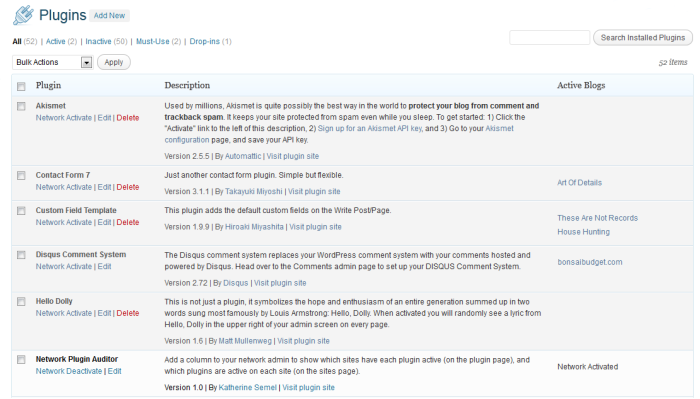
On the plugins page a new column show the sites that are using each plugin.
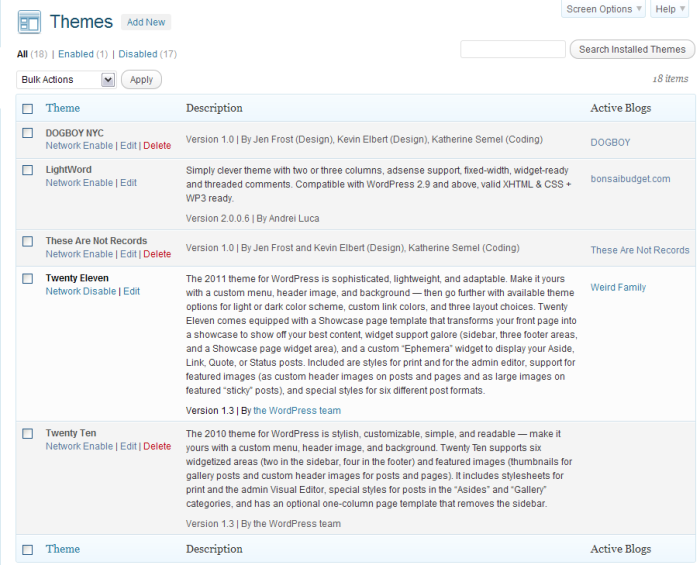
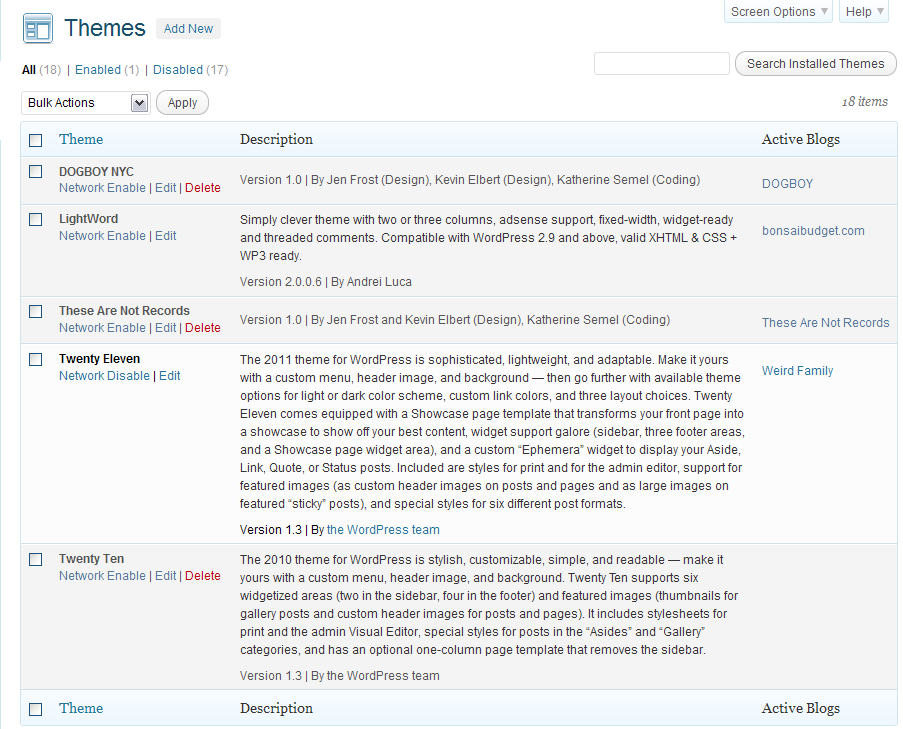
On the themes page a new column show the sites that are using each theme.
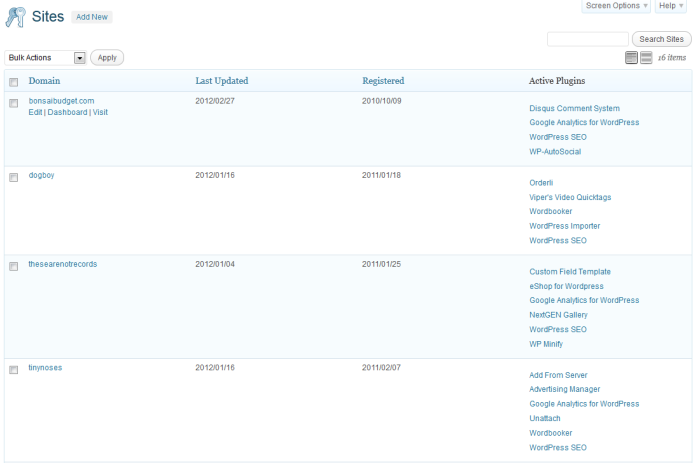
On the sites page a new column show the plugins and theme that are in use for each site.